Context
MGPC TV brings the MGPC live scoreboard experience to Android TV devices. It is designed for card game players and spectators who want a shared screen for active Marriage, CallBreak, or Kitti games instead of checking scores from a phone. The app focuses on quick game access, lean-back navigation, and a full-screen landscape scoreboard powered by the existing mgpc-stream web experience.
My Role
I built the Android TV companion app around the existing MGPC streaming scoreboard. I focused on making game access simple from a TV remote while preserving the live web scoreboard behavior already used by MGPC players.
- Implemented a native Android TV shell with Leanback launcher support
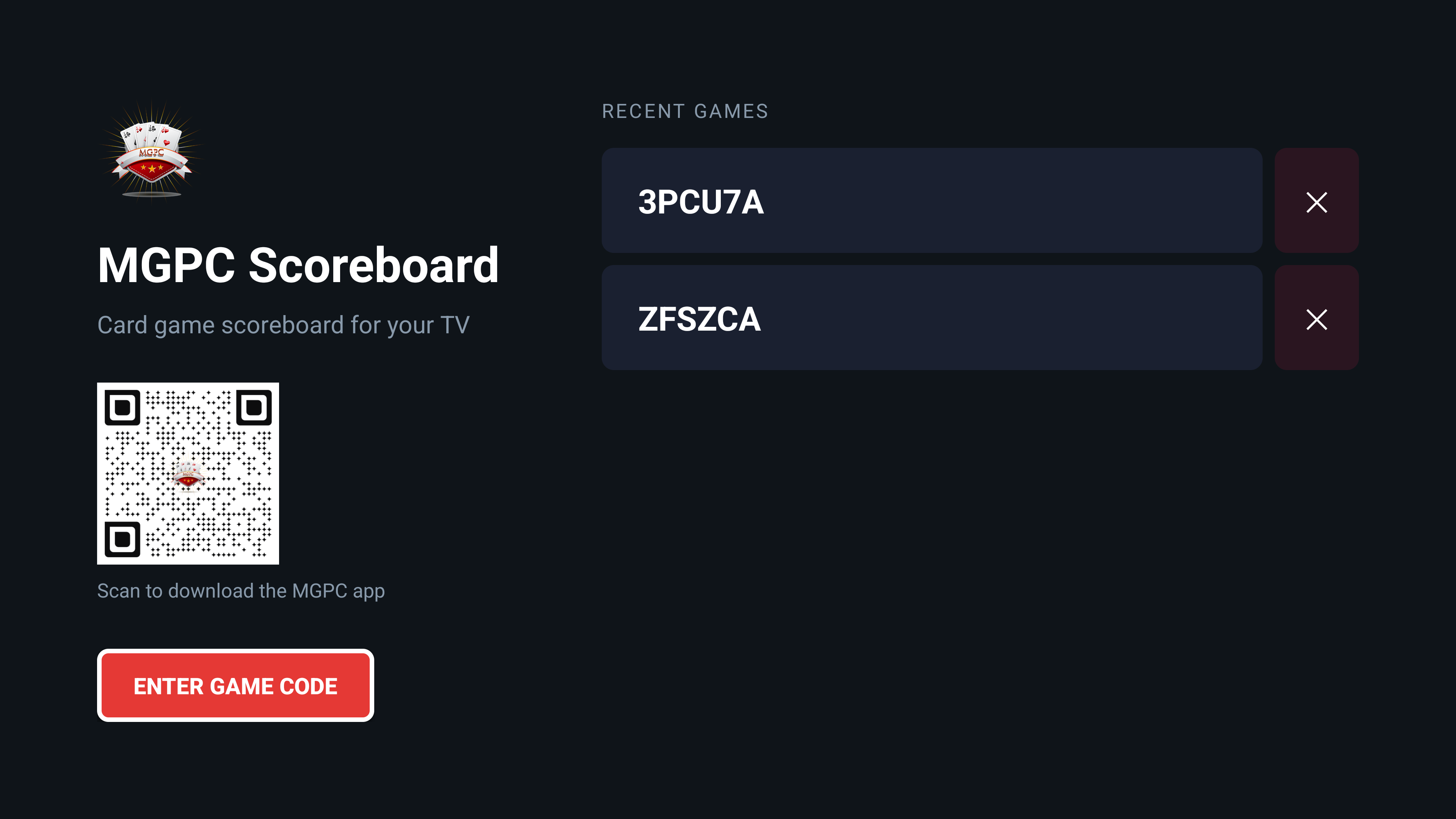
- Added a home screen with MGPC branding, QR download prompt, manual game-code entry, and recent games
- Built deep-link routing for
mgpctv://scoreboard?gameId=<code>scoreboard launches - Integrated a full-screen WebView that opens the MGPC landscape scoreboard for a selected game
- Added loading, retry, network error, and immersive-mode handling for TV display
- Persisted recent game IDs locally with simple select and delete actions
- Configured release signing, resource shrinking, and ProGuard for production builds
Technical Challenges
- Turning a browser-based scoreboard into a native TV experience without duplicating the scoring UI
- Supporting D-pad and enter-key interactions across home, recent games, delete actions, and refresh behavior
- Keeping the WebView locked to a desktop-style viewport so the landscape scoreboard renders correctly on TV screens
- Hiding system UI and preventing screen sleep during active scoreboard viewing
- Handling invalid launches, page load failures, and network issues without leaving users on a blank screen
Stack
- Android TV
- Kotlin
- Android SDK
- AndroidX AppCompat
- AndroidX RecyclerView
- WebView
- SharedPreferences
- Gradle
- ProGuard
Outcomes
- Created a TV-first way to view MGPC live scoreboards during group card games
- Reused the existing mgpc-stream landscape scoreboard instead of maintaining a second scoring display
- Added game-code and deep-link entry paths for opening a scoreboard quickly
- Improved repeat access with a recent-games list stored on the device
- Packaged the app with TV launcher assets, branded resources, and release build settings
What This Proves
This project shows how I can extend an existing product ecosystem onto a new platform with a focused native wrapper and careful device-specific behavior. It also demonstrates my ability to bridge Android TV UX, WebView rendering constraints, deep links, and production packaging without overbuilding the core scoring surface.